✅ 45% Promo Code: https://gravitywrite.com/?via=45OFF
Searching for an unbiased GravityWrite review? If you need an AI companion for editorial purposes, read on.
The right tool can help you out with content writing, researching, and even managing related tasks for individuals or teams. Let’s see if this one has what it takes!
What Is GravityWrite?
GravityWrite is an online content creation tool that utilizes the capability of artificial intelligence. Bloggers, marketers, PR professionals, writers, students, teachers, and almost everyone can use it for their writing needs.
This platform employs NLP (Natural Language Processing) algorithms to understand and provide the best output.
Features
After using GravityWrite for several days, I’ve found these key features:
1. AI Content Generation
The app’s most popular feature is AI content generation. Generating a blog post or any type of text on this platform is very straightforward.
You can define the topic, outline it, and let it do the rest. It can create not only the main content body but also the outline. I’ve also seen some other blog tools on it, like outline maker, title generator, summary writer, etc.
Keep in mind that GravityWrite can write content in different tones in 30+ languages. More are coming slowly. There’s also an option called Human Written Blog. It ensures that the text will be plagiarism-free.
2. SEO Optimized Content
Rather than just being an ordinary AI writer, GravityWrite also offers an SEO-optimized blog post generator. It has a dedicated tool for it. You just need to define the keywords and decide how they should be incorporated into the article. The AI will do its magic after that.
I’ve also seen this type of feature on WriterSonic and it works very similarly.
3. Familiar UI
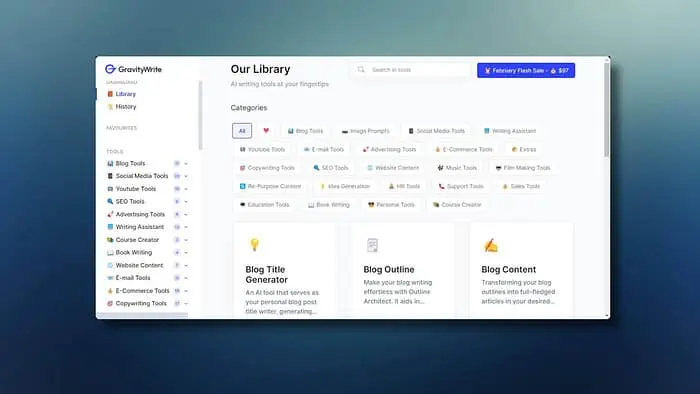
Another thing that has caught my eye is that GravityWrite’s UI is very intuitive. As a result, anyone will feel comfortable while using it.
I didn’t have a hard time finding any options. All elements are well organized and easily accessible. However, unlike Notion AI, it doesn’t have a dark mode. Having this feature would make it even better.
4. Editor
After generating content or outline, you can directly edit and re-structure it from the built-in text editor on this platform. This editor has all the basic tools you need to refine your texts.
5. Various Templates
GravityWrite comes with several pre-defined templates and tools to make your professional work easier and more effective.
It includes video scripts, social media posts, YouTube branding, LinkedIn Profile Builder, Course Creator, Ad copy generator, Job description writer, etc.
Also, as it has several HR tools to generate helpful content, you can consider it a suitable AI HR software.
6. AI Image Generation
Unlike other AI content writing tools like Jenni AI or its alternatives, GravityWrite comes with a built-in text-to-image generation feature. It works similarly to any other AI art generators.
You can create an image with suitable text prompts and use it on your blog post. When I tried this feature, the result was good. However, it can’t be an alternative to dedicated tools like NightCafe, Leonardo AI, etc.
7. AI Chatbot
I’ve also found a very helpful AI chatbot on this platform called Gravity Chat. You can give a task, ask questions, or just have a conversation with it. Overall, this small feature is very powerful and can help you in different steps while generating content.
8. Research
While writing, you may need to do a lot of research. GravityWrite can do this time-consuming task for you. Not only this, it can also generate content ideas.
If you’re a content creator, advanced AI can give you many helpful ideas in your field.
9. Content Optimization
Rather than just being a content writer, it can also refine your existing writing. GravityWrite can rewrite anything, make better sentences, improve grammar and clarity, and turn your content more SEO-friendly.
However, I haven’t found any information about integrating this service with other tools. It could definitely add more juice to its awesomeness.
✅ 45% Promo Code: https://gravitywrite.com/?via=45OFF
How To Use GravityWrite
To use GravityWrite, you can follow these instructions:
- Visit GravityWrite’s website.
- Sign up for an account or log in with your credentials.
- Now, choose what you want, for example, Blog Content.
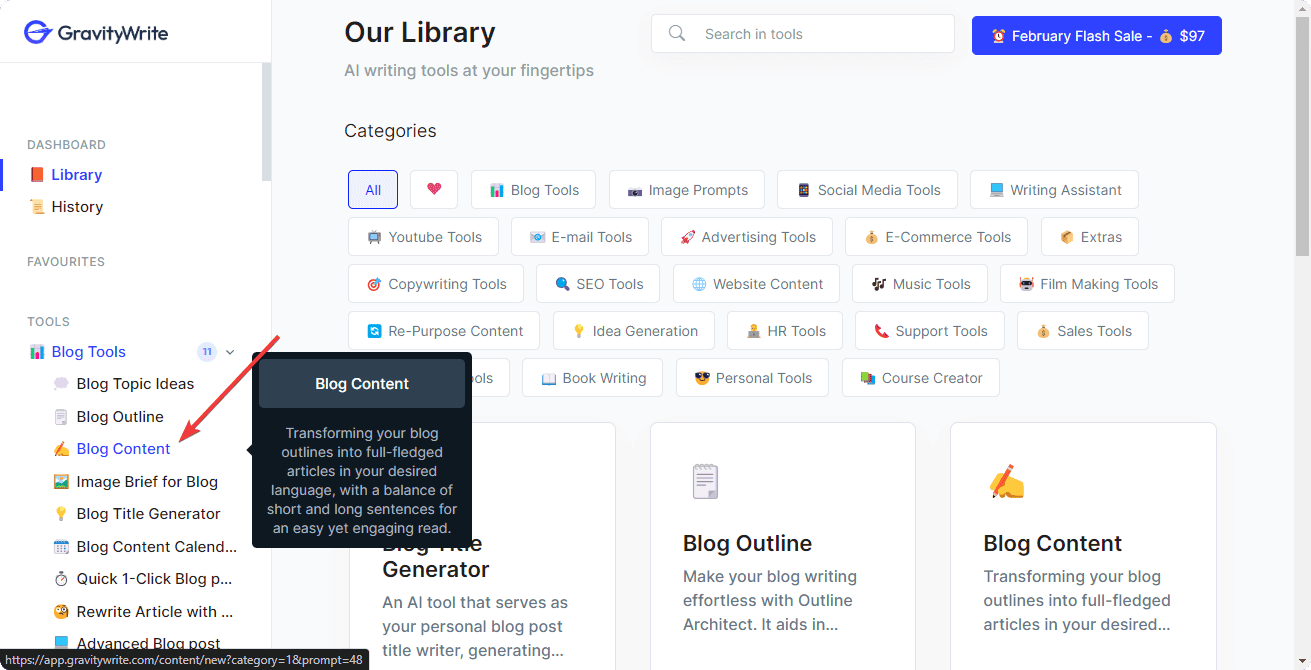
- Define the topic in a relevant text field.
- Write or paste the outline.
- Expand More Settings.
- Choose the Tone and also the Language
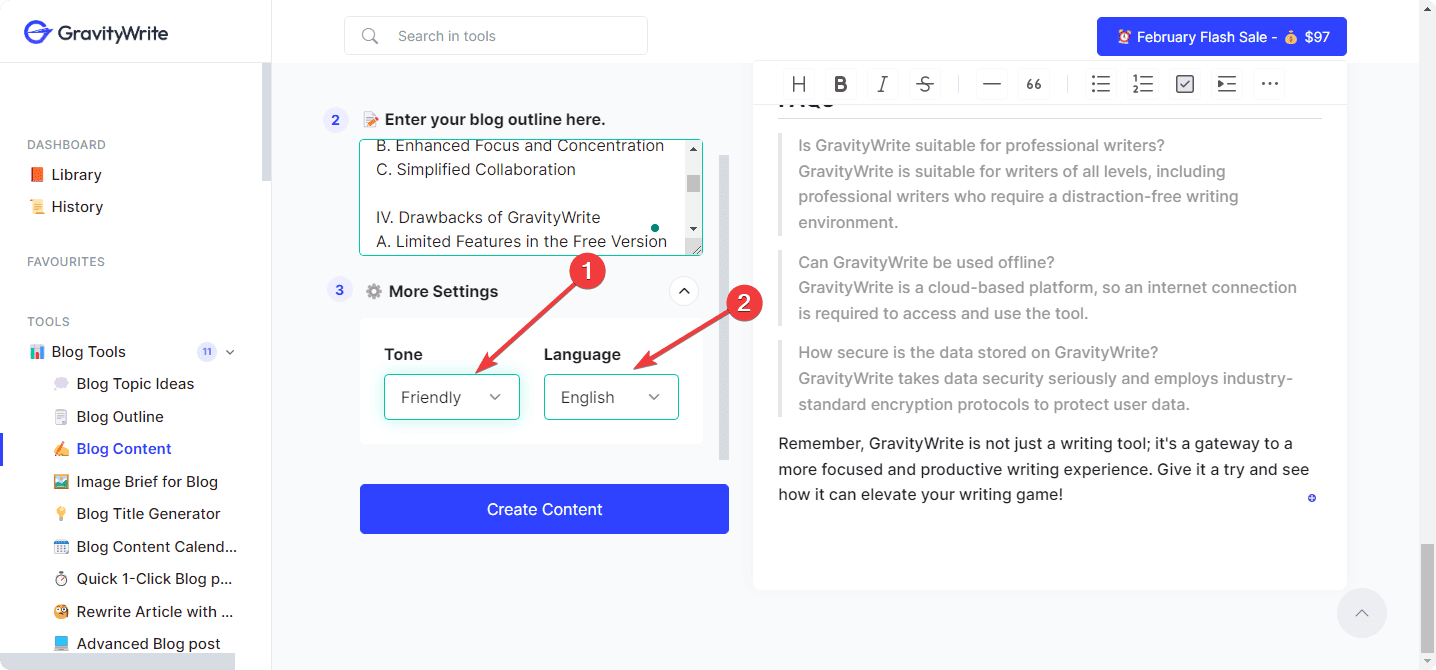
After that, click on Create Content.
Edit and modify if necessary.
All other features have similar instructions. If you haven’t a blog outline, you can generate one on the platform.
Pricing
GravityWrite has a free plan and two paid plans. The free one is very restricted, but enough to give you some idea about it. Paid options are available on both a monthly and yearly basis.
Each of the plans comes with extra benefits. The following pricing table will tell you more:
| Package | Price | Benefits |
|---|---|---|
| Free | $0 | 2,000 words per month 50+ content templates Restricted access to most features |
| Starter | $19/Month $180/Year |
50,000 words per month High-quality AI model 50 AI image generation per month 15+ Languages 15+ Tones 100+ Content templates Unlimited downloads |
| Pro | $79/Month $828/Year |
Everything in the Starter plan 250,000 words per month 100 AI image generation per month 30+ Languages 25+ Tones 200+ Content templates |
If you aren’t satisfied with your purchase, there’s a 7-day refund policy. Another thing is the free version doesn’t use the best AI models. So, the content quality of paid plans is different.
To learn more about the pricing, I suggest you visit the official website.
✅ 45% Promo Code: https://gravitywrite.com/?via=45OFF
GravityWrite Review – Verdict
All things considered, the features, prebuilt templates, and the friendly UI have made a positive impression on me. Still, the lack of integration ability with other tools might not suit your workflow. Hopefully, this GravityWrite review has helped you get to know this service.
Have you already used GravityWrite? Feel free to write your feedback in the comment box.
